What is Close the Loop?
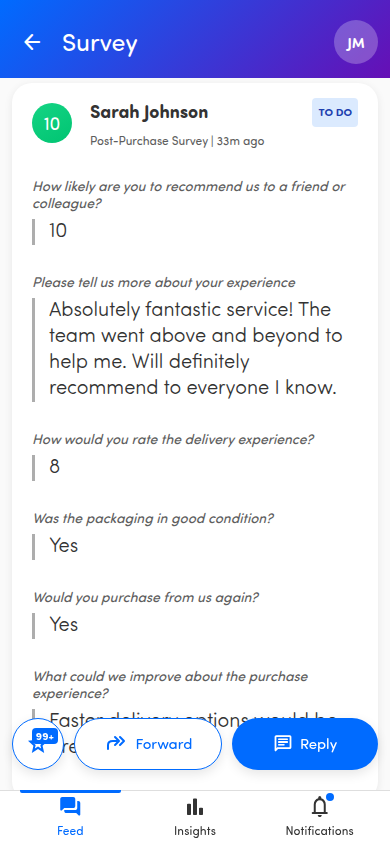
Close the Loop lets you respond to customer feedback right inside the app and follow each conversation through to resolution.
ℹ️ Available with the Close the Loop add-on. If you don’t see the reply options described here, your organization hasn’t enabled this feature — ask your administrator.
The idea
Section titled “The idea”Close the Loop turns a one-way customer response into a two-way conversation. Instead of only reading what a customer said, you can:
- Reply to the customer without leaving the app.
- Track where each conversation stands using three simple stages.
Every piece of feedback you can reply to moves through these stages:
- To do — a conversation that needs your attention.
- In progress — you’ve started working on it (for example, you’ve sent a reply).
- Done — the loop is closed; nothing more is needed.
This gives your team a shared view of which customers have been looked after and which are still waiting.
What you need to reply
Section titled “What you need to reply”Close the Loop has to be enabled for your organization, and you also need permission to reply. If you can reply, you’ll see a reply button on the customer response. It reads Reply when the conversation is still To do, and Continue once you’ve already started. On a conversation that’s Done, the button disappears — the loop is closed. The button also needs someone to reply to: it only appears when the customer left an email address (Google reviews excepted, as the reply is posted on the review). If an open conversation from a customer with an email address has no reply button, you have view-only access for that touchpoint. Ask your administrator if you think that’s wrong.
💡 Tip: Close the Loop also unlocks a list view for the Feed, which helps when you’re working through many conversations in a row. See Card view vs. List view.