

AI recommendations
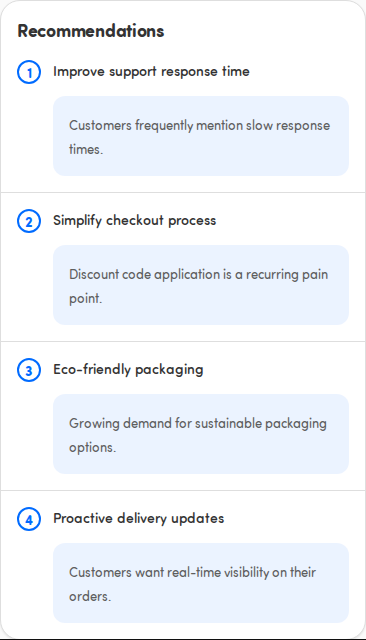
At the bottom of the Insights dashboard, the Recommendations card offers suggested actions drawn automatically from your customer feedback for the selected touchpoint.
ℹ️ Available with the Insights add-on. If you don’t see the Insights tab, your organization hasn’t enabled this feature — ask your administrator.
What recommendations are
Section titled “What recommendations are”Each recommendation is an AI-generated suggestion based on what customers said: a short title and a sentence explaining the action. They’re ranked, so the most important suggestion is first. Treat them as a starting point for where to focus, not as instructions.
They may load a moment later
Section titled “They may load a moment later”Recommendations can appear just after the score and categories. While they load you’ll see placeholder rows and the message Generating recommendations…. They fill in shortly.
When there’s nothing yet
Section titled “When there’s nothing yet”- No recommendations yet — with the note Collect more feedback to unlock AI-powered recommendations. This means there isn’t enough feedback for this touchpoint yet.
- Recommendations unavailable — with the note We couldn’t load AI-powered recommendations right now. This is usually a temporary hiccup. Pull down to refresh the dashboard and try again.