

Change the app language
You can set the language the app uses for its own text, separately from the language of the feedback you review.
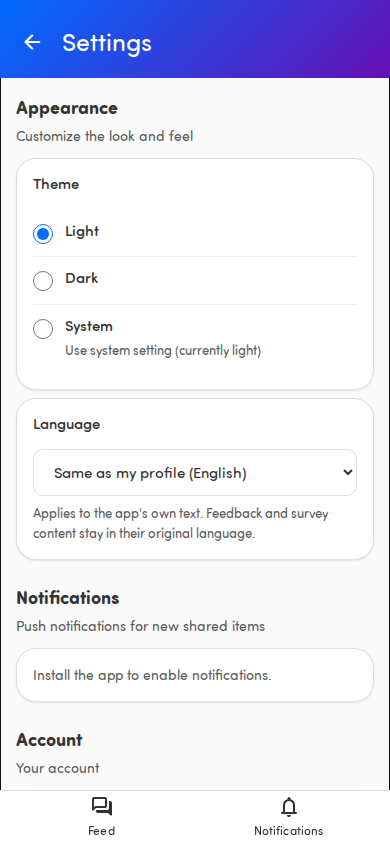
Set your language
Section titled “Set your language”- Tap your avatar in the page header to open Settings.
- Under Appearance, find Language.
- Choose one:
- Same as my profile — follows the language set on your Hello Customer profile. If we don’t know your profile language yet, this option just reads Same as my profile.
- One of the seven languages by name: English, Français, Nederlands, Deutsch, Español, Italiano, Português.
Your choice applies right away, no reload needed.
What changes
Section titled “What changes”Only the app’s own text changes — menus, buttons, labels, and help texts. Customer feedback and survey questions and answers stay in their original language. Category names on the Insights screen follow the translations configured for your organization; categories without a translation keep their original name. Dates and numbers follow the language you chose.
Good to know
Section titled “Good to know”- By default the app follows your profile language, so you usually don’t need to touch this.
- The change applies immediately across the app.
- Your choice is remembered on this device.
- To go back to following your profile language, pick Same as my profile again.