Dismiss and restore items
Cleared an item you didn’t mean to? You can dismiss items from your Notifications tab and restore them straight away.
Dismiss an item
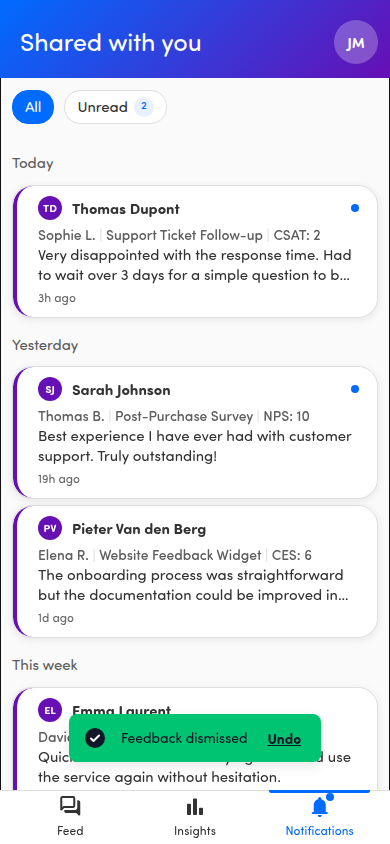
Section titled “Dismiss an item”In the Notifications tab (page titled Shared with you), swipe an item left. A short swipe reveals a red Dismiss button — tap it and the item slides out of your list. A long, fast swipe across the item dismisses it in one motion. If you revealed the button by accident, tap anywhere else and it tucks away again.
Restore with Undo
Section titled “Restore with Undo”Right after you dismiss, a toast appears at the bottom reading Feedback dismissed with an Undo action. Tap Undo to bring the item back.
⏱️ The Undo toast auto-hides after a few seconds. If you change your mind once it has disappeared, the dismiss is final from the list. Dismissing only hides the item, though; it doesn’t delete the original feedback.