

Other preferences
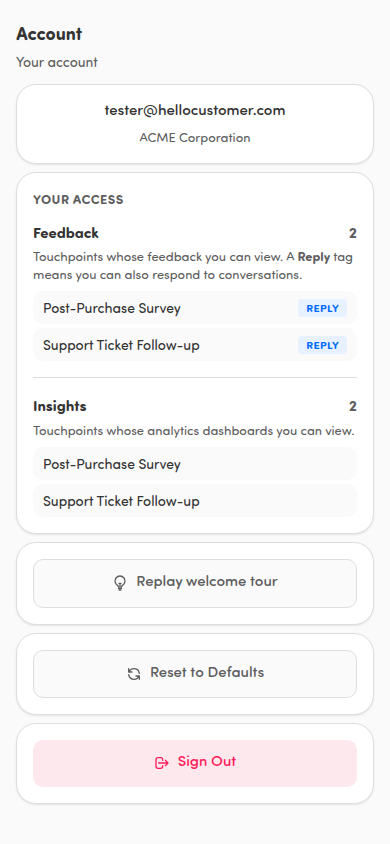
A few more controls live in the Account section of Settings. Tap your avatar in the page header to open Settings, then scroll to Account.
Replay the welcome tour
Section titled “Replay the welcome tour”Tap Replay welcome tour to run the onboarding slides again. It’s a quick refresher on swiping through feedback, shared items, and any add-ons your organization has.
Reset to Defaults
Section titled “Reset to Defaults”Tap Reset to Defaults to put all your preferences back to how the app started — your theme, the Mobile notifications opt-in, favorite and default touchpoints, and the welcome tour (it plays again next time you open the Feed). You’re asked to confirm, Reset all preferences to defaults?, before anything changes.
Sign out
Section titled “Sign out”Tap Sign Out to leave your account on this phone. You’re asked to confirm, Are you sure you want to sign out?, first. You don’t need to scan the QR code again next time. Sign back in and you’re set.
💡 Haptic feedback (the small taps you feel when you swipe or act on a card) is on by default on phones that support it. There’s no setting to turn it off in the app today — it follows your phone’s own vibration settings.